
Supported browsers
Canvas is recommended to be used with the following browsers (check this page for the exact version numbers and whether your browser is supported):
- Chrome
- Firefox (the ESR release line version is not supported)
- Edge
- Respondus Lockdown Browser
- Safari (Mac only)
and please enable third-party cookies in the browser you are using. Instructions in the Canvas help center or search online for your browser’s instructions on accepting cookies.
Logging in to Canvas
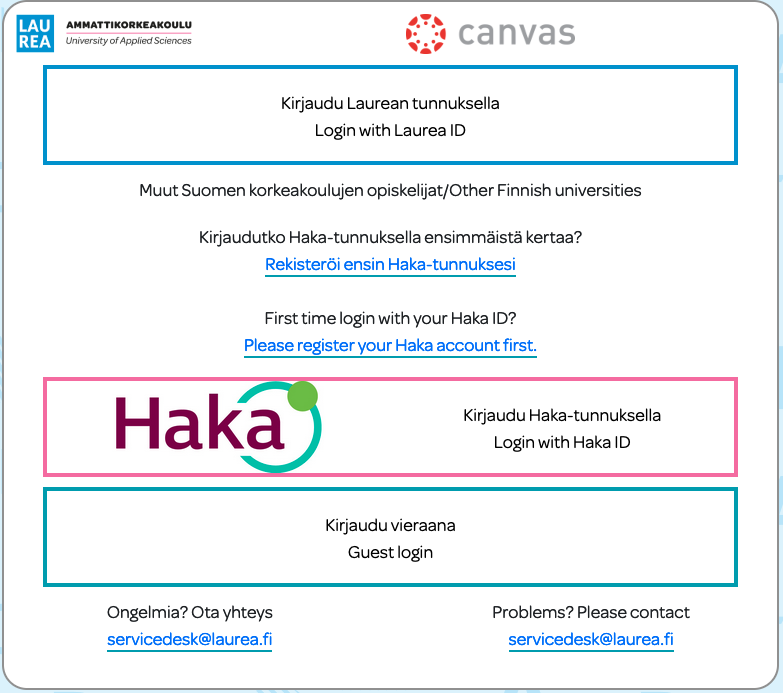
Log in at: https://canvas.laurea.fi/
- Laurea students and students of the Open University of Applied Sciences sign in with their Laurea credentials
- Students from other higher education institutions sign in with their institution’s HAKA credentials or with Laurea credentials
- Others (for example applicants participating in entrance exams or project partners) sign in as guests
Logging in with the mobile app
Install the Canvas mobile app “Canvas Student” on your mobile device.
Search for “Laurea UAS” and sign in with your Laurea credentials. You can also get a QR code from Canvas settings to sign in to the mobile app.
Introductory video to Canvas features for students
Canvas technical support
There are many guides in English for Canvas. At Laurea you can get help with technical problems from IT support.
- Send a message about your problem to servicedesk@laurea.fi. Please describe your problem as precisely as possible. Include the workspace name, code and link if applicable.
- In the browser version of Canvas, the left-hand menu contains the ❔/Help menu. Direct link to the help center.