M365
As a Laurea student, you have access to the Microsoft 365 cloud service package. Through the Microsoft 365 Copilot application you can use, create, share and install Microsoft’s (formerly Office) applications. Although you can handle Microsoft files in a web browser, we nevertheless recommend installing the applications on your own computer, as desktop applications generally provide access to all features of the service.
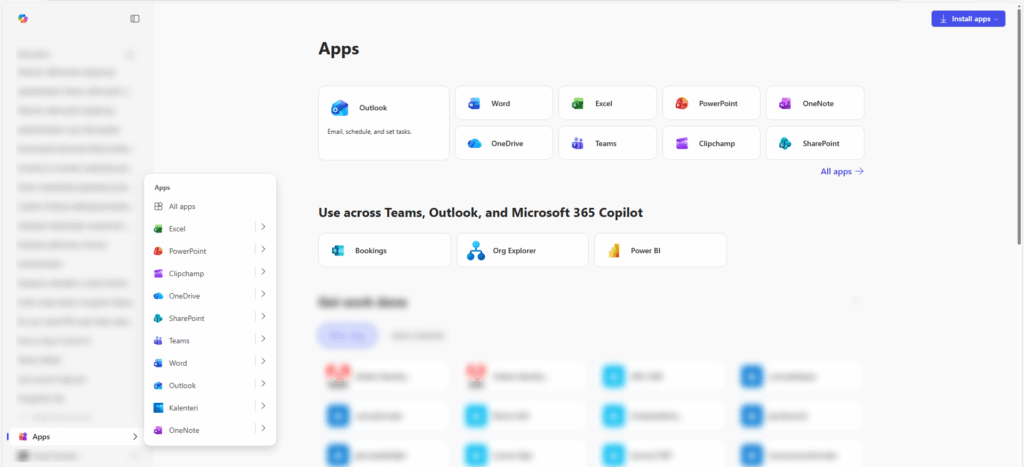
M365 installation on a home computer
Setting up the Microsoft 365 package
Sign in to the Microsoft 365 service
When signing in, use your username: username@laurea.fi. Do not sign in with your email address (first.last@laurea.fi)!
Download the installation file
Click the “Install apps”/ “Asenna sovelluksia” button at the top right of the page -> Microsoft 365 apps. It is also recommended to install the Microsoft 365 Copilot desktop app, which gives you direct access to all Microsoft desktop applications.
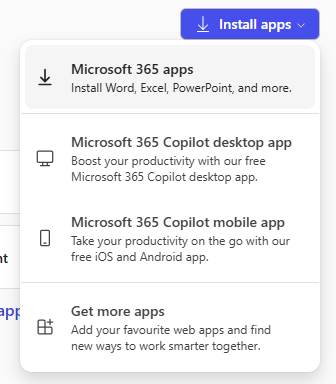
Save the file to your computer and run it.
Microsoft applications can be installed on multiple devices.
Microsoft package license expiration and checking
For students the license is valid as long as you have a Laurea username. In addition, the Microsoft installation checks the existence of the license over the internet every 30 days. When the license expires, Microsoft switches to a restricted mode where only reading and printing are possible. You can then activate Microsoft with a license you have purchased yourself.
Using multiple Microsoft accounts
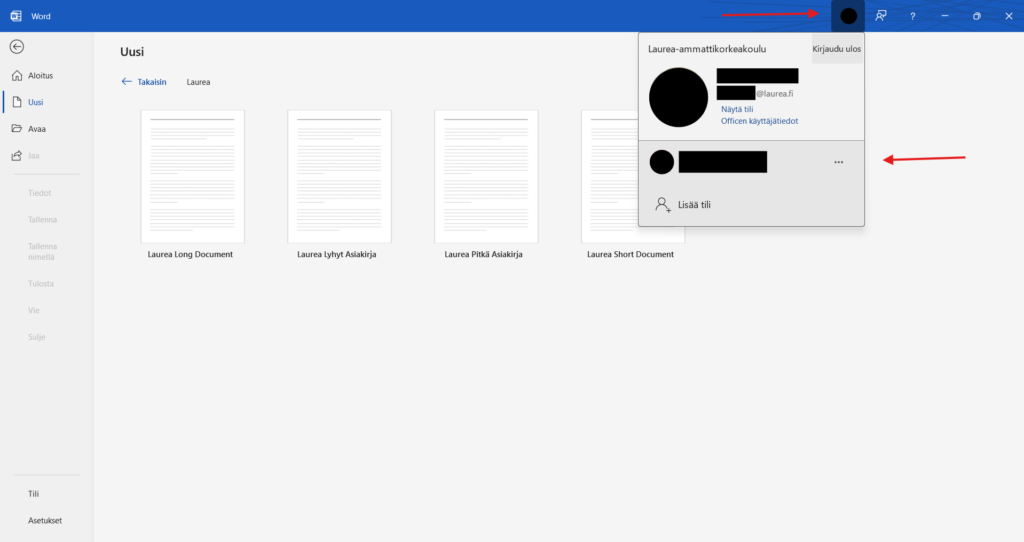
You can switch between accounts in different apps by clicking the profile picture and selecting the desired account.